What Is the MyQ Smart Garage Video Keypad?
The MyQ Smart Garage Video Keypad is a wall-mounted device that combines traditional keypad entry with smart home capability. It streams live HD video with night vision, supports two-way audio, and sends motion alerts to your phone. You can assign up to 16 unique PIN codes for family members, recurring visitors, and service providers, then review an entry history to see who accessed the garage and when. A dedicated call button lets visitors reach the myQ account owner directly.
The keypad controls a single residential garage door opener and integrates with the myQ app, giving you remote open and close capability along with real-time activity alerts from anywhere.
Compatible Garage Door Openers and System Requirements
Before purchasing or starting installation, confirming compatibility is the most important step. Installing the keypad on an unsupported opener will result in pairing failures.
The MyQ Smart Garage Video Keypad works with Chamberlain®, LiftMaster®, Craftsman®, Raynor®, and AccessMaster® openers manufactured after 1993 that use photoelectric sensors. Openers outside those requirements aren’t directly compatible, but adding a myQ Smart Garage Control can bridge the gap for many systems.
Many of the established homes we service across Lake County and Chicagoland have older openers that may fall outside this compatibility window. If your system predates 1993 or lacks photoelectric sensors, it’s worth having a technician assess its overall condition before investing in an accessory upgrade.
Tools, Materials, and App Prerequisites
Gather the following before starting: a Phillips screwdriver, mounting screws, wall anchors, a drill (if anchors are needed), a hammer, and the short security screw included with the keypad.
On the software side, download the myQ app on your iOS or Android smartphone before you begin. Create a myQ account if you don’t already have one, and confirm the keypad battery is charged. Also make sure you know where your opener’s learn button is located. Having everything ready prevents mid-installation stops.
How to Mount the MyQ Video Keypad
Choosing the Right Location
Mount the keypad at a minimum height of 5 feet from the ground for both security and proper function. Position it where the built-in camera has a clear sightline to your driveway or approach, and avoid spots that get prolonged direct sunlight, which can wash out the video feed.
The included 20° mount bracket can be flipped to angle the camera toward the driveway if your mounting surface requires it. Take a moment to level the bracket before drilling, since the camera angle directly affects video coverage.
Securing the Keypad
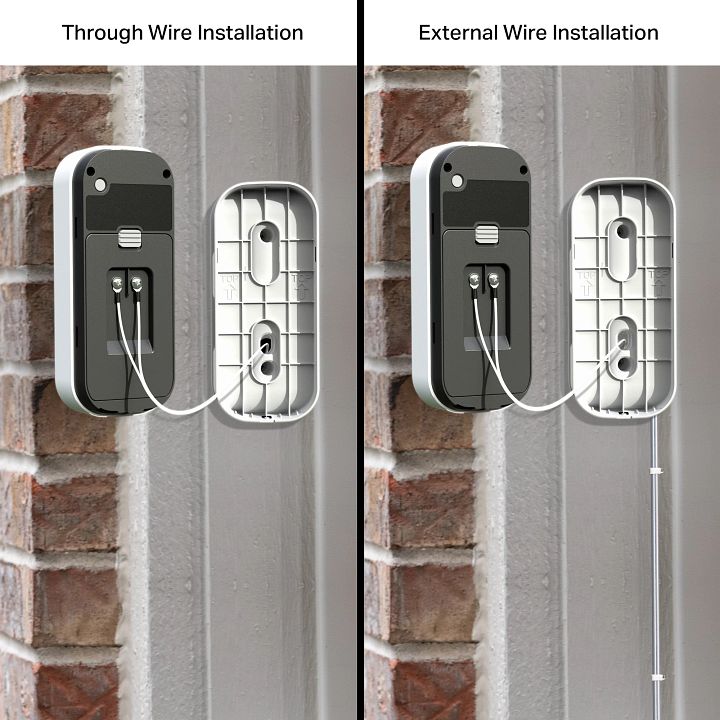
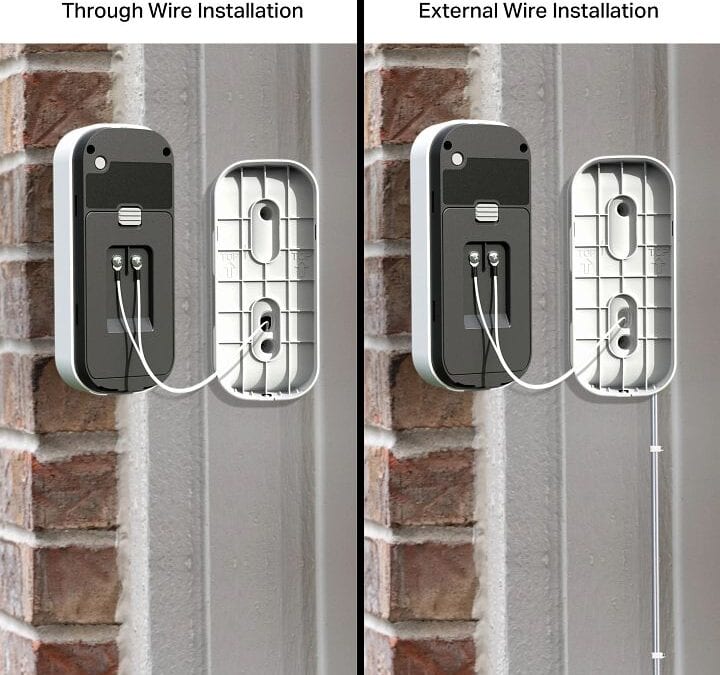
The MyQ Smart Garage Video Keypad is battery-powered, not hardwired, so there’s no low-voltage wiring to run. Charge the battery and complete the in-app configuration before mounting.
Once the keypad is configured, hold the bracket against the wall at your chosen location, mark the pilot holes, drill them, and insert wall anchors if needed. Secure the bracket with the provided screws, slide the keypad onto the bracket, and install the included short security screw at the bottom to prevent removal. Give the keypad a firm check to confirm it’s seated and won’t shift.
How to Pair the MyQ Keypad with Your Garage Door Opener
With the keypad mounted, open the myQ app and tap the plus icon (+). Select “Video Solution,” then “Video Keypad,” and follow the on-screen prompts.
The app will ask you to confirm the battery is charged, then prompt you to select your opener. When asked to identify the learn button color, go to your opener motor unit and locate the learn button near the antenna wire. Colors vary by model: yellow, green, orange, and purple are common. Briefly press and release the learn button, then return to the app to confirm. The opener’s light should turn on or click, or the door should move, indicating a successful pairing.
Enter your PIN in the app and press the home button to test operation. If the opener doesn’t respond, stay near the motor unit and repeat the app-guided sequence. This step requires working at the opener itself; if you’re uncomfortable on a ladder or unsure about the learn button, we’re glad to handle it for you.
Configuring Video, Wi-Fi, and Smart Access Features
Connecting to Wi-Fi and Enabling Live Video
Once pairing is confirmed, the myQ app walks you through connecting the keypad to your home Wi-Fi. A stable connection is essential for reliable live video, night vision, and motion alerts. After the connection is established, test the feed remotely by stepping outside and checking the app.
Adjust motion detection sensitivity in the app settings to reduce false alerts from passing cars or shifting shadows. Motion alerts are particularly useful for monitoring deliveries or confirming whether guests have arrived.
Setting Up PIN Codes and Managing Access
From the app’s access management section, you can create up to 16 unique PIN codes. Assigning individual codes rather than sharing a single one makes it easy to revoke or modify access without changing codes for everyone. Consider a dedicated PIN for recurring service providers, a separate code for housekeepers or dog walkers, and temporary codes for occasional guests.
The entry history log shows each code entry with a timestamp, so you always have a record of activity. Deleting or changing a PIN takes seconds through the app. The keypad also includes a call button that allows visitors to reach the myQ account owner directly when they need to request access or have a question.
Troubleshooting Common MyQ Video Keypad Installation Issues
Work through these sequences in order before assuming the keypad is faulty.
- Keypad won’t pair: First, confirm your opener is on the compatibility list. If it is, verify the learn button was pressed briefly and released (holding it too long clears existing codes). Repeat the pairing sequence in the app. If the opener still doesn’t respond, check whether a myQ Smart Garage Control is needed for your specific model.
- No response at all: Verify the battery is fully charged before setup. A depleted battery is the most common cause of a keypad that powers on but won’t complete configuration.
- Door won’t operate after programming: Remain near the opener and repeat the app-guided steps. Distance from the motor unit during pairing can cause incomplete programming.
- Live video unavailable or choppy: Check your Wi-Fi signal strength at the keypad’s location. Walls, metal objects, and distance from the router all reduce signal quality. Repositioning a Wi-Fi extender closer to the garage often resolves this.
- Keypad mounted at the wrong height or angle: If the camera misses the driveway or the keypad is too low, remount it at a minimum of 5 feet and flip the 20° bracket if needed to improve the camera angle.
If none of these steps resolve the issue, our garage door repair team can diagnose whether the problem is the keypad, the opener, or the network setup.
Why Overhead Garage Door Is Chicagoland’s Best Choice for Garage Door Opener Installation
Installing a smart keypad involves more than following a manual. Compatibility, opener condition, and configuration each carry real room for error, and a mistake can compromise both security and functionality. Working with an experienced local professional removes that risk.
Overhead Garage Door has served Chicagoland homeowners since 1981. As a family-owned company based in Ingleside, IL, we bring over four decades of hands-on experience to every opener installation and service call. We install and service LiftMaster® openers, the same brand family behind the myQ ecosystem, so we know these systems thoroughly. Our service area covers Cook County and Lake County communities including Barrington and Lake Zurich.
We hold an A+ BBB rating and have earned nearly 1,000 Angie’s List reviews along with the Super Service Award, a track record built job by job across the region.
Get Expert Installation and Emergency Garage Door Repair in Lake County and Greater Chicago
If you’d rather have us handle your MyQ Smart Garage Video Keypad installation, or if something has gone wrong with your current opener system, we’re ready to help. We offer same-day service and 24/7 emergency support so a failed installation or malfunctioning opener doesn’t leave you without access.
Beyond smart keypad installation, we handle spring and cable replacement, track realignment, and full opener replacements, among other repairs. Many homeowners across Lake County we’ve worked with over the years have discovered that an aging opener is the real issue behind a failed upgrade, and catching that early saves time and money.
Contact our team to schedule service or get answers to your questions. Whether it’s a MyQ Smart Garage Video Keypad installation or a same-day emergency repair across Chicagoland, Overhead Garage Door has been the region’s trusted choice since 1981.
Image courtesy of MyQ